Image AIPhotographyIntermediate60 minSaves 1 hour

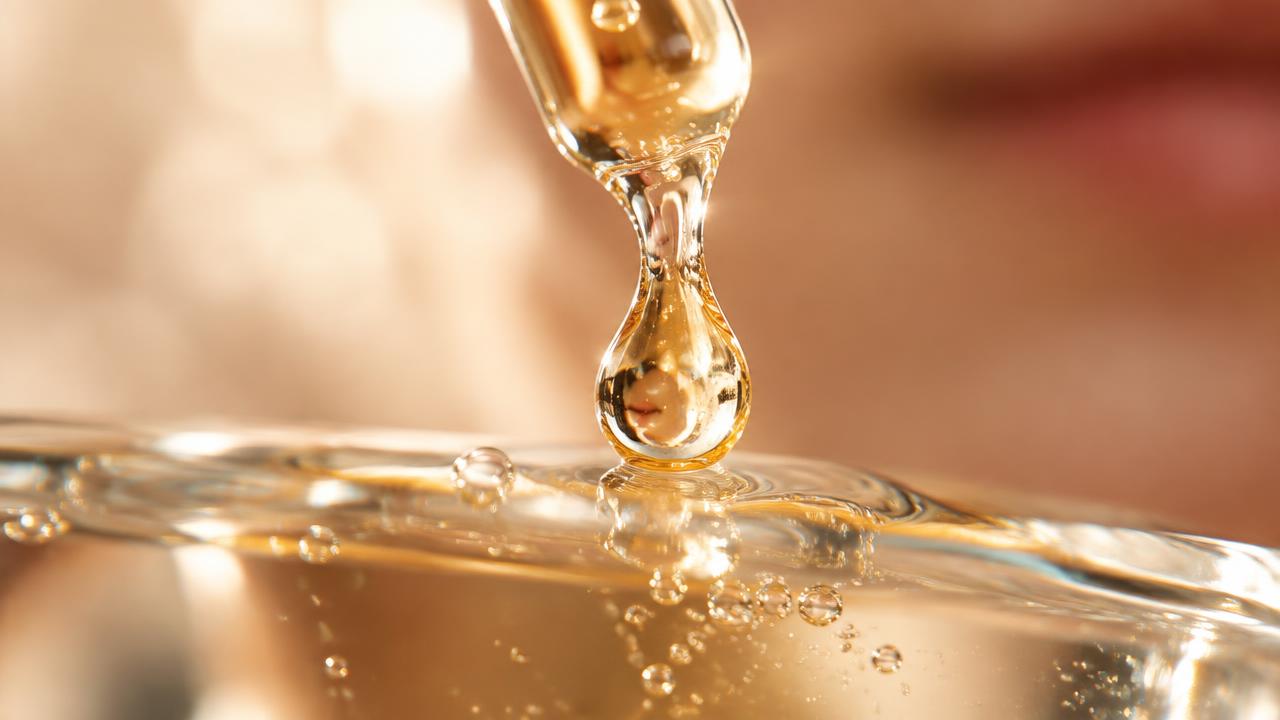
Beauty Macro: Skin Texture & Cosmetic Drop Photography

For beauty campaign photographers, generate high-fidelity macro shots of skin texture with cosmetic drops, ready for studio retouching.

Generate precise, high-fidelity macro beauty images simulating studio conditions. This prompt helps photographers visualize skin textures and cosmetic applications, ensuring compositions are prepped for detailed retouching in campaigns. Achieve consistent, production-ready visuals quickly.

READY-TO-USE PROMPT

Copy Prompt

prompt.txt
Role: Professional beauty product photographer.

Context: I require a detailed photographic prompt for a high-end beauty campaign. The objective is to produce macro imagery that captures skin texture and the precise application of a cosmetic product. The generated prompt must simulate a studio environment, ready for immediate retouching workflows without conceptual adjustments.

Task: Generate a comprehensive image generation prompt. This prompt must detail the subject, styling, setting, lighting, camera, lens, color grading, and negative prompts. The core focus is a close-up macro of human skin, showcasing its texture, with a specific cosmetic product either applied or captured as a pristine drop on the surface. The composition should be framed for optimal post-production and clarity.

Constraints:
*   Subject: Human skin only. Avoid distractions like clothing, jewelry, or excessive makeup unrelated to the primary focus.
*   Framing: Strict macro close-up. Emphasize microscopic details of skin and the cosmetic product.
*   Lighting: Specify professional studio lighting, such as a ring light, softbox, or beauty dish setup, to ensure even illumination and highlight texture.
*   Output Format: A single, continuous image generation prompt string. Do not include any introductory or concluding text outside the prompt itself.
*   Precision: Use accurate photographic terminology. The prompt should be concise, direct, and technically specific.
*   Retouch-Ready: The prompt should inherently suggest a clean, well-lit, and sharply focused image, ideal for professional retouching.

Output:
Provide the full image generation prompt string, structured as follows:
`[Subject description] / [Wardrobe/Styling] / [Setting] / [Lighting] / [Camera] / [Lens] / [Grade] --neg [Negative prompts]`

Example:
`Close-up macro shot of {{skin_type}} skin, showing fine pores and subtle texture, with a single drop of {{cosmetic_product}} glistening on the surface / natural, minimal styling / sterile white studio background / diffused ring light, soft fill, subtle catchlight / Hasselblad H6D-400c MS / Laowa 25mm f/2.8 2.5-5X Ultra Macro / neutral, high-contrast, retouch-ready --neg blurry, low resolution, amateur, harsh shadows, unnatural skin tone, distracting elements, poor composition, over-saturated, noisy, cartoon, illustration, painting, graphic, 3D render, text, watermark`

Estimated results

DifficultyIntermediate
Setup time60 min
Time saved1 hour
Best modelsMidjourney, Flux
Best audienceBeauty, Fashion

Editor's note

Why this prompt matters

Achieving consistent, high-fidelity macro photography for beauty campaigns presents a unique challenge. Capturing the intricate details of skin texture and cosmetic product application requires precise control over lighting, focus, and composition. This workflow is designed for beauty campaign photographers, art directors, and marketing teams who need to generate initial concepts or specific shot lists that are immediately actionable and suitable for professional studio retouching.

The value of this pipeline lies in its ability to standardize the creative brief, ensuring that all visual elements are specified with photographic accuracy. Instead of generic requests, users can articulate the exact technical parameters of a beauty macro shot. This significantly reduces iteration cycles and misunderstanding between creative teams and image generation tools, allowing for rapid exploration of different skin types, product interactions, and lighting scenarios, all while maintaining a consistent, production-ready aesthetic. It's particularly useful when scouting new visual directions or preparing detailed instructions for a studio shoot.

Anatomy

Prompt engineering breakdown

Role

This prompt serves as an expert assistant, crafting detailed image generation prompts for beauty photographers to create high-fidelity macro shots of skin texture and cosmetic product drops, ready for professional retouching workflows.

Context

I require a detailed photographic prompt for a high-end beauty campaign. The objective is to produce macro imagery that captures skin texture and the precise application of a cosmetic product. The generated prompt must simulate a studio environment, ready for immediate retouching workflows without conceptual adjustments.

Goal

Generate a comprehensive image generation prompt. This prompt must detail the subject, styling, setting, lighting, camera, lens, color grading, and negative prompts. The core focus is a close-up macro of human skin, showcasing its texture, with a specific cosmetic product either applied or captured as a pristine drop on the surface. The composition should be framed for optimal post-production and clarity.

Constraints

Subject: Human skin only. Avoid distractions like clothing, jewelry, or excessive makeup unrelated to the primary focus. Framing: Strict macro close-up. Emphasize microscopic details of skin and the cosmetic product. Lighting: Specify professional studio lighting, such as a ring light, softbox, or beauty dish setup, to ensure even illumination and highlight texture. Output Format: A single, continuous image generation prompt string. Do not include any introductory or concluding text outside the prompt itself. Precision: Use accurate photographic terminology. The prompt should be concise, direct, and technically specific. Retouch-Ready: The prompt should inherently suggest a clean, well-lit, and sharply focused image, ideal for professional retouching.

Output format

Provide the full image generation prompt string, structured as follows: `[Subject description] / [Wardrobe/Styling] / [Setting] / [Lighting] / [Camera] / [Lens] / [Grade] --neg [Negative prompts]`

Why this structure works

The prompt establishes a clear role priming, setting expectations for a 'Professional beauty product photographer' and thus the technical output. Explicit constraints on subject, framing, and lighting ensure the generated images align with specific campaign needs. The structured output format, reinforced by a clear example, guarantees consistent and usable image generation prompts every time, streamlining post-production workflows.

Pick your version

Prompt variations

BeginnerWorks with any model

For users new to image generation prompts who need a straightforward approach to creating beauty macro shots without extensive photographic jargon.

prompt.txt
Create an image prompt for a close-up photo of human skin, showing its surface texture. Include a drop of {{liquid_product}} on the skin. The picture should look clean and bright, like it was taken in a studio. Focus tightly on the skin and the product. Use simple, direct language for camera and lighting. The image needs to be clear for editing later. Describe the subject, background, light, camera, and any bad elements to avoid. Provide the full prompt string. `Macro shot of {{skin_type}} skin, showing pores, with a drop of {{liquid_product}} / bare skin / plain studio background / soft studio light, ring light / modern digital camera / macro lens / natural, bright --neg blurry, dark, messy, clothes, jewelry, bad color, cartoon, drawing`
ProfessionalBest with midjourney

When high fidelity and precise technical control are critical for a beauty campaign, requiring specific photographic terminology and detailed instructions for image generation.

prompt.txt
As a professional beauty photographer, I need a highly technical image generation prompt for a macro shot. The focus is on capturing the intricate texture of human skin with a {{cosmetic_form}} cosmetic product precisely applied or presented as a pristine drop. The output must be studio-quality, optimized for retouching, and adhere to strict framing and lighting specifications. Detail the subject, minimalist styling, sterile setting, professional lighting setup (e.g., ring light, beauty dish), specific camera and macro lens, and color grading. Include a comprehensive list of negative prompts to ensure a clean, high-fidelity result. `Ultra-macro close-up of healthy, hydrated {{skin_type}} skin, revealing epidermal texture and micro-details, with a glistening application of {{cosmetic_product}} / unadorned, clean / stark white infinity cove studio / dual ring light setup with soft fill, precise specular highlights / Phase One XF IQ4 / Canon MP-E 65mm f/2.8 1-5x Macro / cool neutral, high dynamic range, tack sharp --neg motion blur, chromatic aberration, harsh shadows, grainy, low contrast, unrealistic skin tone, busy background, abstract, painting, text, logo`
Short VersionBest with flux

For quick iterations or when space is limited, providing essential details for a beauty macro shot in a concise format without sacrificing core requirements.

prompt.txt
Generate a concise image prompt for a macro beauty shot: focus on {{skin_type}} skin texture with a {{cosmetic_product}} drop. Ensure studio lighting, a macro lens, and clean framing for retouching. Output as a single string: `Extreme close-up macro of {{skin_type}} skin, visible pores, subtle texture, with a perfectly spherical drop of {{cosmetic_product}} / minimal / white studio / professional ring light, softbox fill / high-res digital camera / dedicated macro lens / natural, crisp --neg blurry, distorted, dark, amateur, cluttered, bad color, unrealistic, art, graphic`
EnterpriseWorks with any model

When working within a corporate framework, requiring imagery to meet specific brand guidelines, legal compliance, and stakeholder approval, in addition to technical precision.

prompt.txt
As a lead creative for a global beauty brand, I require an image generation prompt for a high-fidelity macro shot that aligns with our corporate brand guidelines and visual identity standards. The image must feature {{skin_type}} skin texture, demonstrating the precise application or a pristine drop of {{cosmetic_product}}. The prompt needs to specify studio-grade lighting, camera, and lens details to ensure the output is suitable for a regulated marketing environment, pre-approved for digital campaigns, and ready for legal review. The final output must be impeccably clean, hyper-realistic, and optimized for mass media distribution, reflecting brand values of purity and efficacy. `Corporate standard macro of {{skin_type}} skin, pristine texture, fine lines, with a precisely placed drop of {{cosmetic_product}}, adhering to brand guidelines / sterile, no distractions / controlled white studio environment / professional beauty dish, LED ring light, even fill / medium format camera, high-resolution sensor / 1:1 true macro lens / clean, neutral, high-key, brand-compliant --neg inconsistent branding, legal risk, blurry, low quality, non-compliant, artistic interpretation, exaggerated, unnatural, text, logo, watermark`

What you'll get

Expected output

Close-up macro shot of healthy, glowing skin, showing subtle pores and fine lines, with a single, perfectly formed drop of hydrating serum glistening on the surface / natural, minimal styling / sterile white studio background with a slight gradient / diffused ring light directly overhead, two softbox fill lights at 45 degrees, subtle back light for edge definition / Phase One XF IQ4 150MP / Canon MP-E 65mm f/2.8 1-5x Macro / neutral, high-key, crisp focus, retouch-ready --neg blurry, low resolution, amateur, harsh shadows, unnatural skin tone, distracting elements, poor composition, over-saturated, noisy, cartoon, illustration, painting, graphic, 3D render, text, watermark

This output prompt would generate an image depicting a segment of blemish-free, healthy skin, likely from a forearm or cheek, framed extremely tightly. The skin's surface would exhibit minimal texture, with pores and fine lines subtly visible, indicating a well-hydrated complexion. A single, translucent bead of hydrating serum would be the focal point, its spherical form reflecting the studio lights, creating a bright specular highlight. The lighting setup, specifically the overhead ring light and softbox fills, ensures even illumination across the skin and serum, minimizing shadows and enhancing clarity. A gentle backlight would provide a subtle halo effect, separating the subject from the pure white background. The image would possess exceptional sharpness and depth of field, typical of high-magnification macro photography, making every minute detail of the skin and serum distinct. The 'neutral, high-key, crisp focus, retouch-ready' grade ensures the image is clean, bright, and suitable for professional post-production workflows without requiring extensive color correction or sharpness adjustments.

Under the hood

Why this prompt works

This prompt structure yields superior results by employing several targeted prompt engineering techniques. Firstly, role priming establishes the persona of a "Professional beauty product photographer," immediately setting a high bar for technical precision and aesthetic quality. This primes the model to think like an expert, focusing on specific photographic details rather than general imagery.

Secondly, explicit constraints are used extensively. Directives on subject matter (human skin only, macro close-up), framing, lighting types (ring light, softbox), output format, and the 'retouch-ready' quality guide the generation process precisely. These constraints prevent irrelevant elements and ensure the output aligns with professional beauty campaign standards.

Thirdly, the structured output format, [Subject] / [Wardrobe] / [Setting] / [Lighting] / [Camera] / [Lens] / [Grade] --neg [Negative prompts], breaks down a complex visual into manageable, distinct components. This systematic approach ensures all critical photographic elements are addressed, reducing ambiguity and improving consistency. Each section builds upon the last, guiding the model towards a coherent, technically sound image. Finally, the few-shot scaffolding provided by the example output clearly demonstrates the expected level of detail, terminology, and overall style. This example acts as a concrete reference, allowing the model to replicate the desired tone and technical specificity far more effectively than a simple, open-ended request.

Model fit

Best AI models for this prompt

Midjourney

Midjourney excels at generating highly aesthetic and detailed imagery, making it suitable for beauty photography concepts. Its strength lies in interpreting descriptive prompts for visual style, lighting, and texture. While it can produce stunning results, achieving precise control over microscopic details like specific skin pore patterns or exact cosmetic viscosity may require multiple iterations and careful prompt engineering. It handles artistic interpretation well but might need more guidance for technical accuracy. See the full Midjourney hub for deeper guidance.

Flux

Flux offers strong capabilities in generating photorealistic images with fine detail, which is crucial for macro beauty shots. Its ability to render realistic textures and subtle light interactions allows for accurate portrayal of skin and cosmetic properties. Users often find Flux provides a good balance between creative output and technical adherence to prompt specifications, making it effective for precise, retouch-ready compositions. Its output tends to be clean and well-defined, reducing the need for extensive negative prompting. See the full Flux hub for deeper guidance.

When to use

  • When you need high-fidelity macro shots of skin texture to showcase product efficacy.
  • For creating detailed visual assets for product launch campaigns focusing on cosmetic application.
  • To generate diverse skin texture examples for educational content or scientific communication in dermatology.
  • When building a mood board for a beauty campaign requiring precise visual references of skin and product interaction.
  • To A/B test different visual representations of cosmetic drops or applied product textures.

When not to use

  • If your primary goal is to feature full-face makeup looks or broader beauty imagery.
  • When the campaign requires lifestyle shots of people using products in everyday settings.
  • For conceptual art where photorealism of skin texture is not a critical requirement.
  • If you need to highlight product packaging or branding elements, rather than the product on skin.
  • When the focus is on abstract art or graphic design, not photographic precision.

Get more from it

Pro tips

  • 1

    Vary `{{skin_type}}` inputs like 'mature skin with fine lines' or 'oily skin with visible pores' to generate a range of realistic textures for diverse campaign needs.

  • 2

    Refine `{{cosmetic_product}}` descriptions, specifying consistency like 'viscous serum,' 'creamy foundation,' or 'clear gel' to accurately represent product attributes.

  • 3

    Experiment with different lighting modifiers, such as 'softbox with grid' or 'beauty dish from above,' to control highlights and shadows for specific textural emphasis.

  • 4

    Augment negative prompts with terms like 'excessive shine,' 'unnatural pores,' or 'blotchy application' to fine-tune the output and eliminate unwanted artifacts.

  • 5

    Adjust `Grade` parameters, including 'warm tones,' 'cool tones,' or 'high saturation,' to align with brand aesthetics or post-production workflows.

  • 6

    Specify camera model and lens focal length, such as 'Sony a7R IV with 90mm macro,' to influence the perceived depth of field and sharpness characteristics.

Don't ship this

Common mistakes

  • Using overly generic terms for `{{skin_type}}` or `{{cosmetic_product}}` results in bland or inconsistent imagery.

    Fix — Provide specific descriptors like 'combination skin with subtle redness' or 'emollient cream with a pearlescent finish' for precise results.

  • Neglecting to customize negative prompts, leading to outputs with common AI artifacts like unnaturally smooth skin or distorted drops.

    Fix — Add targeted negatives such as 'plastic texture,' 'overly retouched,' or 'unrealistic reflections' to guide the image generation.

  • Assuming the initial output is ready for publication without understanding it as a retouch-ready base.

    Fix — Plan for professional retouching. The prompt aims for a clean foundation, not a final, polished advertisement.

  • Not explicitly defining the light source's direction or quality, causing flat or poorly textured results.

    Fix — Specify precise lighting, e.g., 'single directional light from 45 degrees, diffused' or 'soft fill light from below' for controlled illumination.

  • Omitting details for `Camera` or `Lens`, which can lead to less photorealistic or technically imprecise images.

    Fix — Always include professional gear like 'Nikon Z7 with 105mm macro lens' to enhance the photographic fidelity and detail.

People also ask

Frequently asked questions

Q.Can I use this prompt to generate images of non-human skin, such as synthetic skin models for product testing?

While designed for human skin, you can attempt to specify 'synthetic skin texture' in the {{skin_type}} field. However, the models are primarily trained on human anatomy, so results may vary in realism.

Q.How detailed should my `{{cosmetic_product}}` description be to get the desired texture and consistency?

Be as descriptive as necessary to convey unique properties. For example, 'shimmering liquid highlighter with fine glitter particles' is better than 'liquid makeup.' Detail affects the AI's interpretation of texture and light interaction.

Q.Will this prompt effectively generate images across a diverse range of skin tones and undertones?

Yes, you can specify 'deep skin tone,' 'fair skin with cool undertones,' or 'olive skin' within the {{skin_type}} variable. The AI will render appropriate tones, but always review for accuracy and consistency.

Q.Is it possible to feature multiple cosmetic products or drops simultaneously within a single macro shot?

The prompt is optimized for a single focus point. While you can try describing multiple elements, maintaining high fidelity for each might require careful prompt iteration and could reduce clarity of the primary subject.

Q.What if I need a slightly wider shot that still emphasizes skin texture but includes a bit more context?

This prompt is strictly for macro close-ups. For wider shots, you would need to adjust the Framing constraint and potentially the Lens description to something like 'medium close-up, 50mm lens,' moving away from the pure macro focus.

Version 1.0Last reviewed July 23, 2026
Reviewed by PromptInFlow Editorial Team