Weather and Environment Motion Prompt
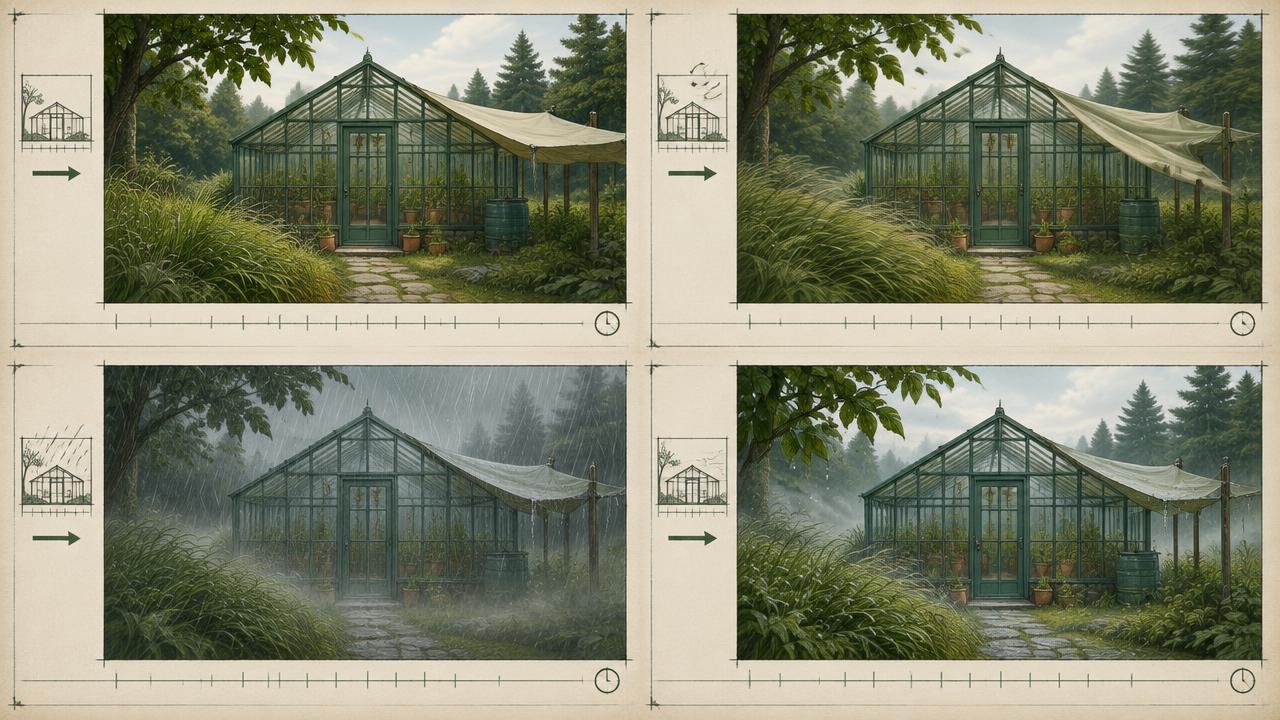
Add rain, wind, snow or heat haze that behaves consistently and interacts with your subject.
Directs environmental motion in AI video by specifying weather type, intensity, wind direction and speed, how the subject reacts, surface wetness or accumulation, and how light changes because of the weather.
Ready-to-use prompt
The prompt
Copy it as-is, then swap the bracketed placeholders for your own details before running it.
Role: You are an environment supervisor writing weather motion for AI video.

Context:
- Base scene: {{scene}}
- Weather: {{weather_type}}
- Intensity: {{intensity}} (light, steady, heavy)
- Clip length: {{duration_seconds}} seconds

Task: Specify the environment motion with:
1. Wind direction and speed, and whether it is constant or gusting
2. Particle behaviour for the weather (droplet size, fall angle, snow flutter, haze shimmer)
3. Subject reaction (hair, clothing, squinting, posture, stride)
4. Surface response (wet sheen, puddle ripples, accumulation, dust displacement)
5. Light change caused by the weather (diffusion, contrast drop, specular highlights)
6. Audio texture implied by the weather

Rules:
- Wind direction must be identical for every affected element.
- Intensity must stay constant unless a gust is timed explicitly.
- The subject must visibly react, otherwise the weather looks composited.

Output: a scene paragraph followed by an environment spec block.
Estimated results
Editor's note
Why this prompt matters
Weather is a consistency problem before it is an aesthetic one. Rain that falls in one direction while a coat blows in another instantly reads as fake, and most generated weather fails on exactly that. This prompt fixes a single wind vector and then applies it to every element in the scene: particles, hair, clothing, surfaces and light. It also insists that the subject reacts, because a person standing unbothered in heavy rain is the clearest tell that the weather was pasted on rather than lived in.
Why this matters: This technique depends on one wind vector propagated through particles, surfaces, light, and performance. A visually attractive take can still fail continuity or editability when those cues disagree. Establish one controlled reference, vary one element at a time, and compare every result against the same anchors before adding more motion or styling.
Anatomy
Prompt engineering breakdown
Role
Specialist video direction role priming
Context
Add rain, wind, snow or heat haze that behaves consistently and interacts with your subject.
Goal
Add believable weather motion to an AI video scene.
Constraints
Explicit numeric and directional constraints replace subjective adjectives.
Output format
scene paragraph plus environment spec block
Why this structure works
A single stated wind direction and speed forces coherence across particles, wardrobe and hair. Requiring surface response adds the secondary evidence that viewers actually read as weather. Specifying the light change ties the atmosphere to the exposure of the shot, and timing gusts prevents the model inventing random intensity swings.
What you'll get
Expected output
Scene: a courier walks a narrow street in steady rain, shoulders raised, jacket darkened at the seams.
Environment spec:
- Wind: from camera left, steady 15km per hour, one gust at 2.4s
- Rain: medium droplets falling at 12 degrees off vertical, visible streaks against the dark wall
- Subject reaction: hair pushed right, jacket hem flutters right, stride shortened
- Surfaces: wet asphalt sheen with reflected shop light, ripple rings in the kerb puddle
- Light: diffused overcast key, lowered contrast, specular highlights on wet stone
Under the hood
Why this prompt works
A single stated wind direction and speed forces coherence across particles, wardrobe and hair. Requiring surface response adds the secondary evidence that viewers actually read as weather. Specifying the light change ties the atmosphere to the exposure of the shot, and timing gusts prevents the model inventing random intensity swings.
A practical review should separate subject accuracy, motion, camera, and environment rather than judging the clip as one impression. Weather looks composited when rain, fabric, foliage, and the subject react in different directions. Apply one direction and intensity to every affected element and time any gust explicitly.
Review test: Mute the clip and check precipitation, hair, fabric, foliage, and surface ripples all reveal the same wind and intensity.
Production check: Separate steady conditions from timed gusts. A stable baseline gives every surface one shared direction; a gust should then arrive, peak, and decay across rain, fabric, foliage, and performance with a clear propagation order.
Keep the subject response proportional to the stated conditions. Light rain should not drive storm-level fabric movement, while strong wind must affect more than airborne particles to feel physically connected.
Model fit
Best AI models for this prompt
Veo
Use natural-language cinematography to direct one wind vector propagated through particles, surfaces, light, and performance. Veo works best when physical cause, scene response, and camera intent form one coherent description; treat numeric settings as visual cues rather than guaranteed literal controls.
Kling
Use Subject Binding or the Element Library for recurring subjects, then direct one wind vector propagated through particles, surfaces, light, and performance. Place the bound identity before style and action. Kling can produce expressive motion, so reduce simultaneous changes when consistency weakens.
Runway
Use Gen-4 References to lock the approved subject or composition, then prompt primarily for one wind vector propagated through particles, surfaces, light, and performance. Generate difficult actions as separate short clips and assemble them in an editor when exact timing or continuity matters.
When to use
- When a scene needs atmosphere or emotional weight.
- For establishing shots that feel too clean.
- When matching generated footage to real weather plates.
When not to use
- For clean studio or product shots.
- When the subject must stay pristine.
- For fast cuts where the weather has no time to register.
Get more from it
Pro tips
- 1
State wind once and apply it to hair, fabric, particles and foliage.
- 2
Add surface response, puddles and sheen do more than the droplets.
- 3
Time any gust to a specific second rather than asking for variable wind.
- 4
Match the light change to the weather, heavy rain means low contrast.
- 5
Review one controlled take for one wind vector propagated through particles, surfaces, light, and performance before increasing complexity.
Don't ship this
Common mistakes
✗ Different wind directions across elements.
Fix — Give one wind vector and apply it explicitly to every affected element.
✗ Weather with no subject reaction.
Fix — Describe hair, clothing and posture responding to the conditions.
✗ Keeping bright, contrasty lighting in heavy rain.
Fix — Specify diffusion and a contrast drop caused by the weather.
✗ Weather looks composited when rain, fabric, foliage, and the subject react in different directions.
Fix — Apply one direction and intensity to every affected element and time any gust explicitly.
People also ask
Frequently asked questions
Q.Why does my generated rain look fake?
Almost always because the subject and surfaces do not react. Add wet sheen, hair movement and posture change.
Q.Can I combine weather types?
Wind with rain or snow works. Combining rain and heat haze in one clip usually confuses the model.
Q.How do I keep weather consistent across shots?
Reuse the same wind and intensity lines verbatim in every shot of the sequence.