Slow-Motion Hero Moment Prompt
Describe a single high-impact action in slow motion with frame rate, shutter and physics cues the model can actually follow.
Generates a slow-motion beat for AI video, specifying capture frame rate, shutter angle, motion blur, physics of the moving elements and the exact instant the action peaks so the payoff lands on screen.
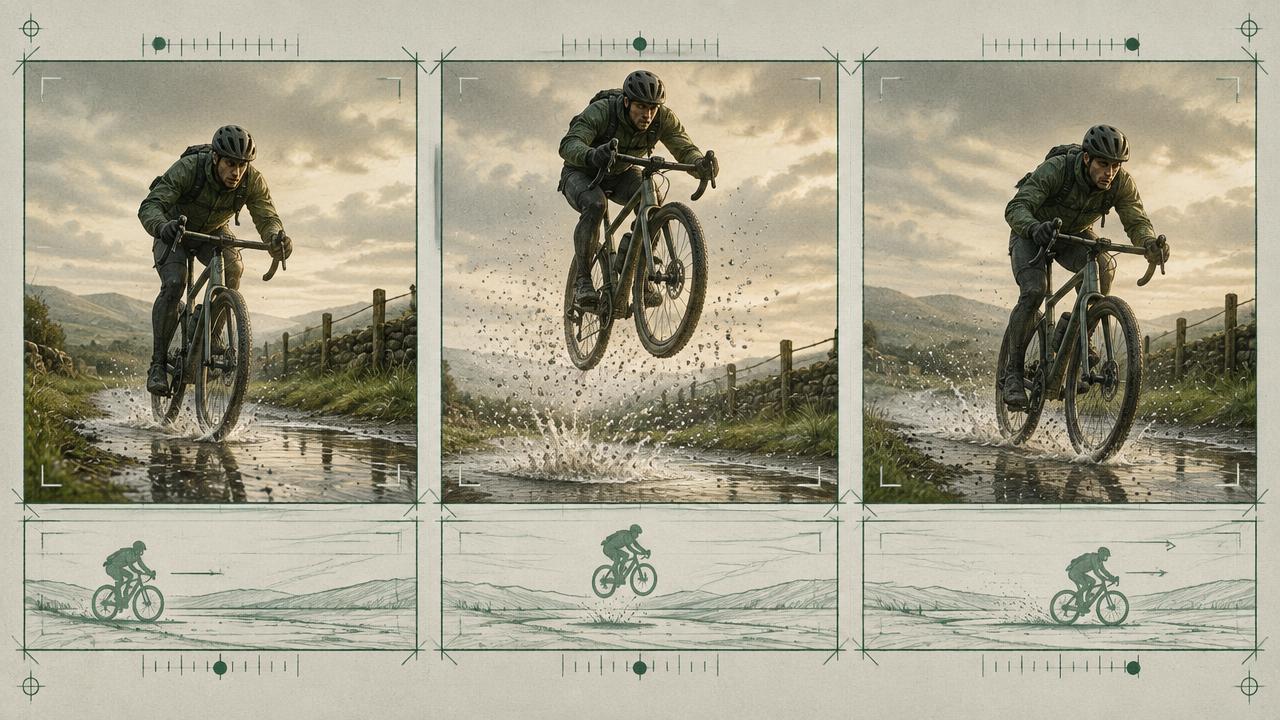
Ready-to-use prompt
The prompt
Copy it as-is, then swap the bracketed placeholders for your own details before running it.
Role: You are a high-speed cinematography specialist writing prompts for AI video models.

Context:
- Action: {{action}}
- Subject: {{subject}}
- Environment: {{environment}}
- Clip length: {{duration_seconds}} seconds

Task: Write a slow-motion prompt that specifies:
1. Intended capture and playback language, such as 120fps or 240fps captured and 24fps playback. Treat these values as visual cues unless the platform documents literal frame-rate control.
2. Shutter-angle intent and the desired result: crisp particles, moderate natural blur or a deliberate directional smear.
3. One primary action with a clear anticipation, impact or release, and recovery.
4. Secondary motion for every affected material: hair, fabric, liquid, dust, debris, steam or reflected light.
5. The exact timecode where the action peaks, leaving enough time afterward for it to resolve.
6. Camera behaviour during the beat, favouring locked or one simple move so the subject motion remains readable.
7. Lighting direction and contrast that reveal edges and particles without flicker or exposure shifts.
8. A post-production fallback if the generated clip looks slow but lacks a clean temporal curve.

Rules:
- Only one primary action may be in slow motion.
- Describe secondary motion and its physical cause; it is what makes the speed change believable.
- State whether motion is constant slow motion or one ramp, never repeated speed changes.
- Keep anatomy, object shape and background geometry stable through the impact frame.
- Avoid claiming that prompt-level fps or shutter terms alter real capture metadata; evaluate the visible result.

Output: one paragraph of scene description, a technical-intent block, a peak-frame checklist, and a short fallback edit note.
Estimated results
Editor's note
Why this prompt matters
Slow motion is convincing when time expands but physical cause and effect remain legible. Simply adding “dreamy slow motion” often produces soft frames, floating debris or a subject that barely moves. The audience reads the effect through secondary motion: fabric continues after the body stops, droplets separate after impact, dust decelerates and light catches each edge. Without those cues, the shot looks stalled rather than captured at high speed.
This prompt treats frame rate and shutter language as cinematic direction, not magic settings. It builds the moment around one action, a timed peak and a physical recovery, then provides an editorial fallback. That distinction matters because current generative models may imitate high-speed footage without delivering a literal, frame-accurate capture rate.
Anatomy
Prompt engineering breakdown
Role
Specialist video direction role priming
Context
Describe a single high-impact action in slow motion with frame rate, shutter and physics cues the model can actually follow.
Goal
Produce a convincing slow-motion beat in AI video.
Constraints
Explicit numeric and directional constraints replace subjective adjectives.
Output format
scene paragraph plus technical spec block
Why this structure works
Stating capture and playback rates separately gives the model an unambiguous speed ratio. Shutter angle maps directly to motion blur, so it replaces subjective words like crisp. Listing secondary motion, such as fabric or droplets, gives the model detail to animate, which is the perceptual cue that sells slow motion. Fixing the peak timecode shapes the clip so the action resolves inside the duration.
What you'll get
Expected output
Scene: a barista pulls an espresso shot, the crema breaks the surface and a single drop rebounds from the cup.
Spec:
- Capture 240fps, playback 24fps, constant slow motion
- Shutter 45 degrees, crisp edges, minimal blur
- Secondary motion: steam curls upward at real-world speed scaled 10x slower, one droplet rebound at 3.2s
- Camera: locked macro, 100mm, no move
- Lighting: hard key from camera left, 5600K, no flicker
Under the hood
Why this prompt works
One primary action gives the model enough temporal budget to show anticipation, impact and recovery. Naming secondary materials creates multiple consistent cues for slowed time, while a simple camera preserves readable trajectories. The peak timecode shapes the clip so the payoff does not happen immediately and leave a static tail.
The technical-intent block replaces vague mood language with visible targets: crisp or blurred edges, particle paths, light direction and stable geometry. The fallback acknowledges the practical limit of prompt-only timing. A clean generated source can still become precise slow motion through editorial retiming, whereas a warped in-camera effect cannot be repaired easily.
Model fit
Best AI models for this prompt
Veo
Write the action as a chronological physical sequence and use high-speed cinematography terms to describe the intended look. Veo can render convincing liquid, fabric and environmental motion, but official guidance does not promise literal fps or shutter control. Keep the camera locked or use one restrained move, name the peak event and inspect whether particles follow coherent paths. If the clip only imitates the mood of slow motion, keep the best stable source and retime it in post.
Kling
Kling is useful when the hero moment combines pronounced subject movement with hair, cloth, water or debris. Use its motion and camera controls to establish a simple direction, then describe how each secondary element responds to the same force. Protect the subject silhouette and face through the impact frame; dramatic effects can otherwise overwhelm identity. Treat numeric fps language as intent, not guaranteed playback speed, and avoid combining slow motion with an elaborate multi-axis camera move.
Runway
Begin with a reference image that already has the final composition, lighting and subject identity. Runway's image-to-video guidance favours concise, positive motion descriptions, so request one action “in controlled slow motion” and name only the most important secondary cues. Keep the camera static when detail matters. For exact duration, acceleration or a speed ramp, generate stable motion with clean handles and apply the final retime in an editor rather than depending on prompt text alone.
When to use
- For product impacts, sports actions, fabric reveals, liquid detail or a single emotional reaction.
- When one brief event needs more visual weight inside a faster edit.
- When secondary materials can clearly demonstrate the slowed motion.
- When the shot can be isolated to one action and one simple camera idea.
When not to use
- For dialogue, lip-sync or long narrative exchanges.
- When several unrelated actions must complete in one short clip.
- When the scene lacks any visible motion that can sell time expansion.
- When exact scientific timing or true high-speed capture data is required.
Get more from it
Pro tips
- 1
Select one peak frame before writing the prompt and build anticipation and recovery around it.
- 2
Name at least two secondary motions caused by the same force as the primary action.
- 3
Use side or rim light to separate droplets, fibres or debris from the background.
- 4
Keep a clean, stable generation as the fallback source for frame-accurate retiming in post.
Don't ship this
Common mistakes
✗ Using slow motion as a mood word with no physical sequence.
Fix — Describe anticipation, impact, secondary motion and settling in chronological order.
✗ Assuming fps text changes actual capture settings.
Fix — Treat numeric terms as visual cues and evaluate the rendered motion; retime in post for precision.
✗ Combining complex camera movement with complex physics.
Fix — Lock or simplify the camera so the model can preserve the subject and secondary motion.
People also ask
Frequently asked questions
Q.Do video models really understand frame rates?
They treat frame rate and shutter angle as strong style signals rather than literal capture settings, which is exactly why they work better than words like slow or dreamy.
Q.Should the whole clip be slow?
Usually yes for short clips. Single ramps work, but repeated ramps inside three seconds tend to produce warping.
Q.Why specify the action peak?
It stops the model resolving the action instantly and leaving a static remainder for the rest of the clip.