Seamless Loop Background Video Prompt
Generate ambient background motion that loops without a visible cut, for sites, screens and stream overlays.
Creates a perfectly loopable ambient video prompt by constraining motion to cyclical elements, matching the first and last frame, and banning one-way events that would break the loop point.
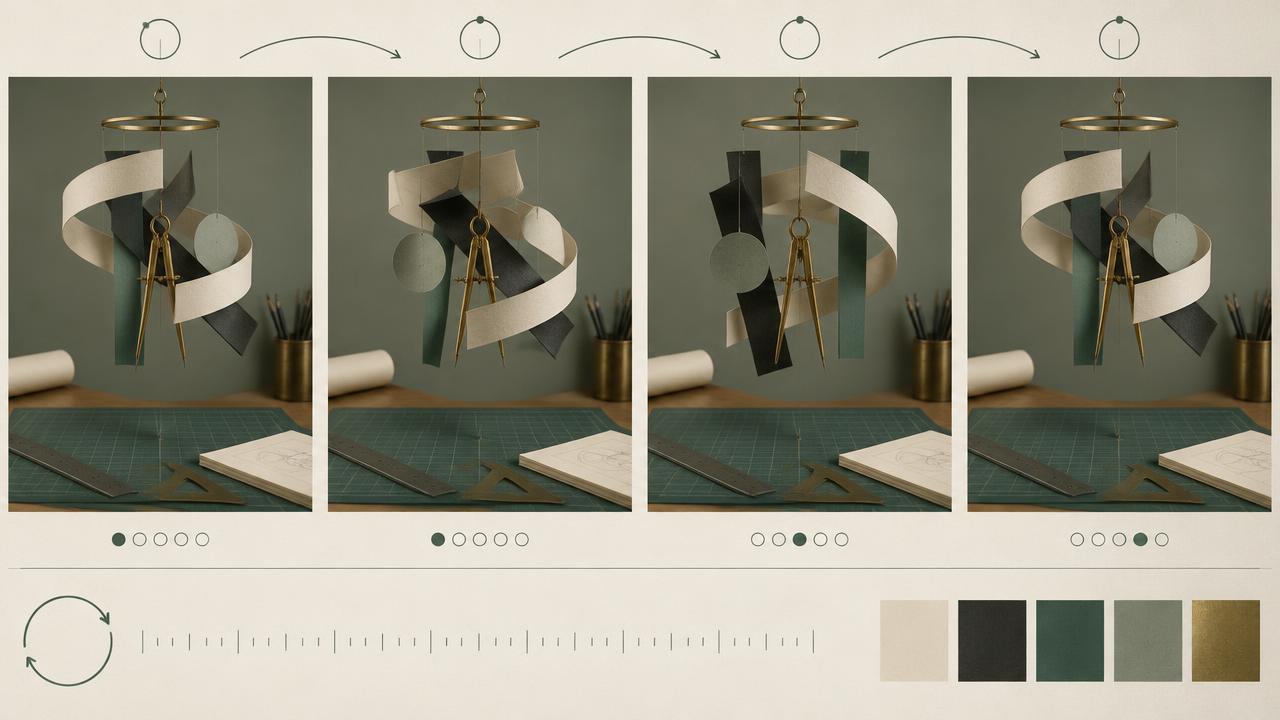
Ready-to-use prompt
The prompt
Copy it as-is, then swap the bracketed placeholders for your own details before running it.
Role: You are a motion designer producing seamless looping backgrounds with AI video models.

Context:
- Subject matter: {{subject_matter}}
- Palette: {{palette}}
- Loop length: {{duration_seconds}} seconds
- Placement: {{placement}} (website hero, stream overlay, retail screen)

Task: Write a prompt that guarantees a clean loop by specifying:
1. Only cyclical or continuous motion (drifting, pulsing, orbiting, flowing)
2. Identical first and last frame composition, lighting and element positions
3. Constant camera, no move and no zoom
4. Motion speed slow enough that the loop point is not obvious
5. No one-way events such as objects entering, exploding or dissolving
6. Depth layers and their relative speeds

Rules:
- Nothing may enter or leave frame.
- Lighting must stay constant, no time-of-day change.
- Keep contrast low enough for text overlay if placement requires it.

Output: a single dense prompt paragraph plus a short loop checklist.
Estimated results
Editor's note
Why this prompt matters
A looping background only works if the viewer never notices the seam. Generative video fights this instinctively: models like to introduce things, resolve them and change the light. Getting a clean loop is therefore less about describing beauty and more about writing constraints. This prompt bans everything that breaks a loop, keeps the camera locked, restricts motion to cyclical elements, and asks for matching opening and closing frames. What is left is drift, pulse and parallax, which is exactly what ambient backgrounds are made of.
Why this matters: This technique depends on cyclical motion, locked composition, constant light, and matching endpoints. A visually attractive take can still fail continuity or editability when those cues disagree. Establish one controlled reference, vary one element at a time, and compare every result against the same anchors before adding more motion or styling.
Anatomy
Prompt engineering breakdown
Role
Specialist video direction role priming
Context
Generate ambient background motion that loops without a visible cut, for sites, screens and stream overlays.
Goal
Generate a seamlessly looping ambient background clip.
Constraints
Explicit numeric and directional constraints replace subjective adjectives.
Output format
single prompt paragraph plus loop checklist
Why this structure works
Explicitly banning entries, exits and lighting changes removes the three most common loop breakers. Requiring a locked camera prevents drift accumulating over the clip. Depth layers with relative speeds supply visual interest that would otherwise come from camera motion, and asking for identical first and last frames pushes the model toward a cyclical composition.
What you'll get
Expected output
Prompt: slow drifting indigo and teal gradient fog over a dark field, soft particulate specks orbiting on three depth layers at 0.4, 0.7 and 1.0 relative speed, constant locked camera, no elements enter or exit frame, lighting fixed, first and last frame identical, low contrast centre for white overlay text.
Loop checklist:
- Camera locked
- No entries or exits
- Constant lighting
- Identical opening and closing composition
Under the hood
Why this prompt works
Explicitly banning entries, exits and lighting changes removes the three most common loop breakers. Requiring a locked camera prevents drift accumulating over the clip. Depth layers with relative speeds supply visual interest that would otherwise come from camera motion, and asking for identical first and last frames pushes the model toward a cyclical composition.
A practical review should separate subject accuracy, motion, camera, and environment rather than judging the clip as one impression. Entries, exits, camera drift, and light changes expose the seam immediately. Generate several constrained takes, choose the closest endpoints, and finish with a short editor crossfade.
Review test: Compare final and opening frames, then reject takes with camera drift, moving exposure, or an element present at only one endpoint.
Production check: Test at least three consecutive repetitions, not only one join. Small exposure shifts or camera drift can be invisible at the first seam but obvious after accumulation. The background should feel continuous without a perceptible reset beat.
Avoid prominent unique events such as a single bird crossing or one large wave breaking. Repeating events reveal the loop period even when the first and last frames match perfectly.
Model fit
Best AI models for this prompt
Veo
Use natural-language cinematography to direct cyclical motion, locked composition, constant light, and matching endpoints. Veo works best when physical cause, scene response, and camera intent form one coherent description; treat numeric settings as visual cues rather than guaranteed literal controls.
Kling
Use Subject Binding or the Element Library for recurring subjects, then direct cyclical motion, locked composition, constant light, and matching endpoints. Place the bound identity before style and action. Kling can produce expressive motion, so reduce simultaneous changes when consistency weakens.
Runway
Use Gen-4 References to lock the approved subject or composition, then prompt primarily for cyclical motion, locked composition, constant light, and matching endpoints. Generate difficult actions as separate short clips and assemble them in an editor when exact timing or continuity matters.
When to use
- For website hero backgrounds and looping screens.
- For stream overlays and event displays.
- Whenever a video must run indefinitely without attention.
When not to use
- For narrative shots that need a beginning and end.
- When the video should feature a subject or a product action.
- For anything with on-screen dialogue or captions in the video itself.
Get more from it
Pro tips
- 1
Generate slightly longer than you need and trim to the cleanest loop point.
- 2
Crossfade the last 6 frames into the first in your editor as a safety net.
- 3
Keep motion under a gentle drift, fast motion exposes the seam.
- 4
Lock the palette in the prompt so colour does not migrate over the clip.
- 5
Review one controlled take for cyclical motion, locked composition, constant light, and matching endpoints before increasing complexity.
Don't ship this
Common mistakes
✗ Allowing an object to enter frame.
Fix — State that nothing may enter or leave the frame at any point.
✗ Letting the light shift across the clip.
Fix — Specify constant lighting and no time-of-day change.
✗ Using camera movement for interest.
Fix — Lock the camera and create depth with layered element speeds instead.
✗ Entries, exits, camera drift, and light changes expose the seam immediately.
Fix — Generate several constrained takes, choose the closest endpoints, and finish with a short editor crossfade.
People also ask
Frequently asked questions
Q.How long should a loop be?
Six to ten seconds is the sweet spot. Shorter loops become noticeable, longer loops waste bandwidth on a background.
Q.Will the loop be perfect straight out of the model?
Rarely. Trim to the cleanest matching frames and add a short crossfade for a flawless result.
Q.Can I put text over it?
Yes, if you ask for a low contrast area in the placement region, which this prompt supports.