Logo and Text Motion Reveal Prompt
Reveal a wordmark or title with staged animation, physical materials and a clean end card.
Plans a logo or title reveal for AI video, staging the build, defining animation easing per element, the material and lighting of the mark, the background treatment and a still, legible end card for hold or cut.
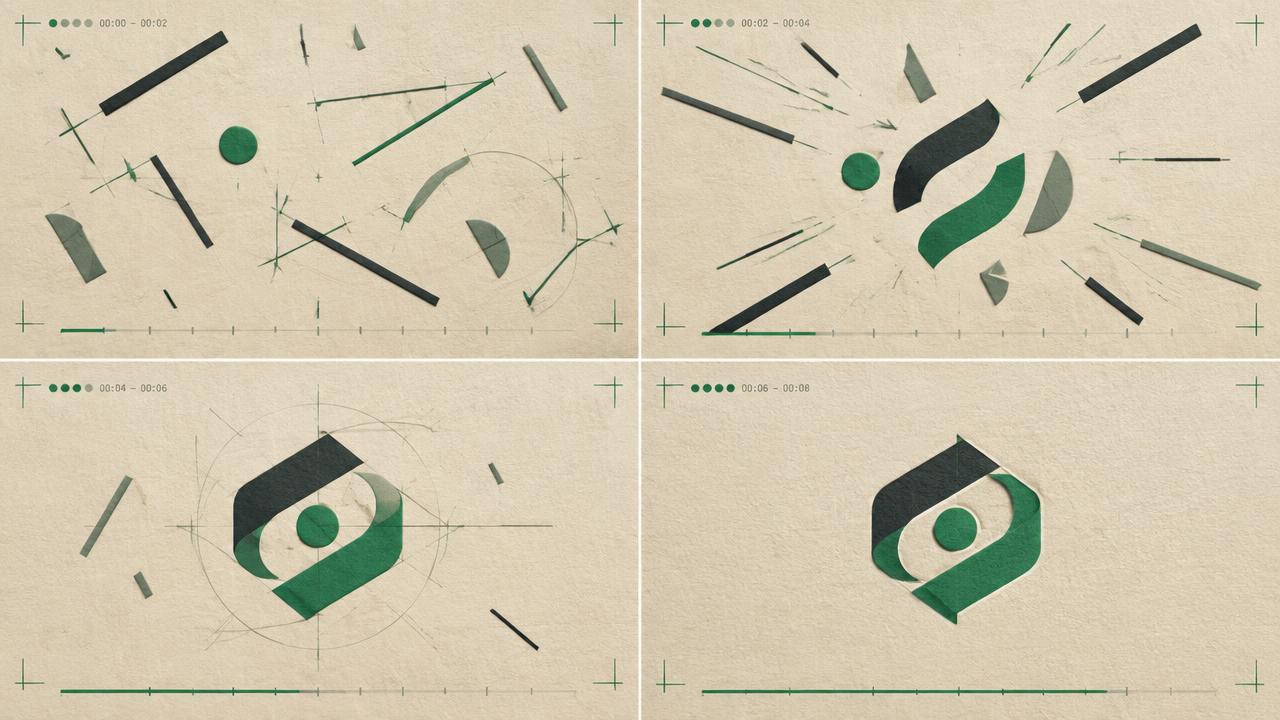
Ready-to-use prompt
The prompt
Copy it as-is, then swap the bracketed placeholders for your own details before running it.
Role: You are a motion designer creating a title and logo reveal for AI video.

Context:
- Wordmark or title: {{wordmark}}
- Brand feel: {{brand_feel}}
- Palette: {{palette}}
- Clip length: {{duration_seconds}} seconds

Task: Plan the reveal with:
1. Background treatment and its motion, if any
2. Build order of elements (mark first, wordmark second, tagline last)
3. Animation type and easing per element (rise, wipe, light sweep, assemble)
4. Material and lighting of the mark (metal, glass, matte paint, emissive)
5. Timecode for each stage
6. A still, fully legible end card held for the final second

Rules:
- The text must be legible and stationary at the end.
- No more than three animated elements.
- Keep the background from competing with the mark.

Output: staged timeline plus a single generation prompt.
Estimated results
Editor's note
Why this prompt matters
Text is still the weak spot of generative video, so a logo reveal prompt has to be honest about that. The reliable approach is to let the model do what it is good at, which is material, light and motion, and to stage the build so the final second is completely still. This prompt sets a build order, assigns an easing to each element, describes the mark as a physical object rather than as typography, and ends on a held card you can either use directly or replace with your real wordmark in an editor.
Why this matters: This technique depends on staged motion, physical materials, safe areas, and a static end card. A visually attractive take can still fail continuity or editability when those cues disagree. Establish one controlled reference, vary one element at a time, and compare every result against the same anchors before adding more motion or styling.
Anatomy
Prompt engineering breakdown
Role
Specialist video direction role priming
Context
Reveal a wordmark or title with staged animation, physical materials and a clean end card.
Goal
Create a staged logo or title reveal.
Constraints
Explicit numeric and directional constraints replace subjective adjectives.
Output format
staged timeline plus generation prompt
Why this structure works
Staging the build in timecoded steps prevents everything animating at once, which is the usual cause of an unreadable sting. Describing the mark as a material with lighting gives the model a physical target instead of a font. Limiting animation to three elements keeps a short clip legible, and the still end card guarantees a usable final frame.
What you'll get
Expected output
0.0-0.8s | Background | slow drifting dark charcoal gradient, faint grain 0.8-1.6s | Mark | brushed steel emblem rises from below, ease-out, light sweep across at 1.4s 1.6-2.4s | Wordmark | letters fade up in sequence left to right, 60ms stagger 2.4-4.0s | End card | everything still, mark and wordmark centred, single soft key from top left
Under the hood
Why this prompt works
Staging the build in timecoded steps prevents everything animating at once, which is the usual cause of an unreadable sting. Describing the mark as a material with lighting gives the model a physical target instead of a font. Limiting animation to three elements keeps a short clip legible, and the still end card guarantees a usable final frame.
A practical review should separate subject accuracy, motion, camera, and environment rather than judging the clip as one impression. Generated letterforms can mutate even when the surrounding motion looks polished. Use the model for motion and material, then composite the approved vector wordmark for exact delivery.
Review test: Inspect the held frame at delivery size and confirm the mark is stationary, inside safe margins, and replaceable with approved artwork.
Production check: Reserve enough final hold for the real artwork to be read after compositing. The generated reveal is a motion plate, not the master logo file; brand spelling, spacing, and proportions should come from approved source artwork.
Design the reveal around the logo’s real silhouette and clear space. Decorative particles or reflections should finish before the hold, leaving a clean frame for exact replacement.
Model fit
Best AI models for this prompt
Veo
Use natural-language cinematography to direct staged motion, physical materials, safe areas, and a static end card. Veo works best when physical cause, scene response, and camera intent form one coherent description; treat numeric settings as visual cues rather than guaranteed literal controls.
Kling
Use Subject Binding or the Element Library for recurring subjects, then direct staged motion, physical materials, safe areas, and a static end card. Place the bound identity before style and action. Kling can produce expressive motion, so reduce simultaneous changes when consistency weakens.
Runway
Use Gen-4 References to lock the approved subject or composition, then prompt primarily for staged motion, physical materials, safe areas, and a static end card. Generate difficult actions as separate short clips and assemble them in an editor when exact timing or continuity matters.
When to use
- For brand stings, intros and outros.
- For product launch teasers.
- For social content that ends on a logo.
When not to use
- When exact typography must be pixel accurate straight from the model.
- For long-form narrative content.
- When the brand has strict animation guidelines already specified.
Get more from it
Pro tips
- 1
Plan for compositing the real wordmark, generative text is rarely exact.
- 2
Stagger letters by 40 to 80 milliseconds for a professional feel.
- 3
Keep the last second completely static.
- 4
Use one light sweep as the polish beat rather than several effects.
- 5
Review one controlled take for staged motion, physical materials, safe areas, and a static end card before increasing complexity.
Don't ship this
Common mistakes
✗ Animating everything simultaneously.
Fix — Define a build order with separate timecodes per element.
✗ Ending on moving text.
Fix — Hold a still, legible end card for the final second.
✗ A background that competes with the mark.
Fix — Keep background motion slow and contrast low behind the text.
✗ Generated letterforms can mutate even when the surrounding motion looks polished.
Fix — Use the model for motion and material, then composite the approved vector wordmark for exact delivery.
People also ask
Frequently asked questions
Q.Will the model spell my brand name correctly?
Not reliably. Generate the motion and materials, then composite your actual wordmark over the clip for production use.
Q.How long should a sting be?
Three to five seconds, with at least one second of static end card.
Q.Can I match my brand colours?
Yes, state hex-adjacent colour names and a palette line, and keep the background neutral so the mark stays on brand.