Camera Movement Shot List for AI Video
Turn a flat scene description into a timed shot list with deliberate camera moves, lens choices and speed.
Builds a time-coded camera movement plan for an AI video scene, specifying move type, speed, lens, framing and easing for every beat so the generated footage reads as intentional cinematography.
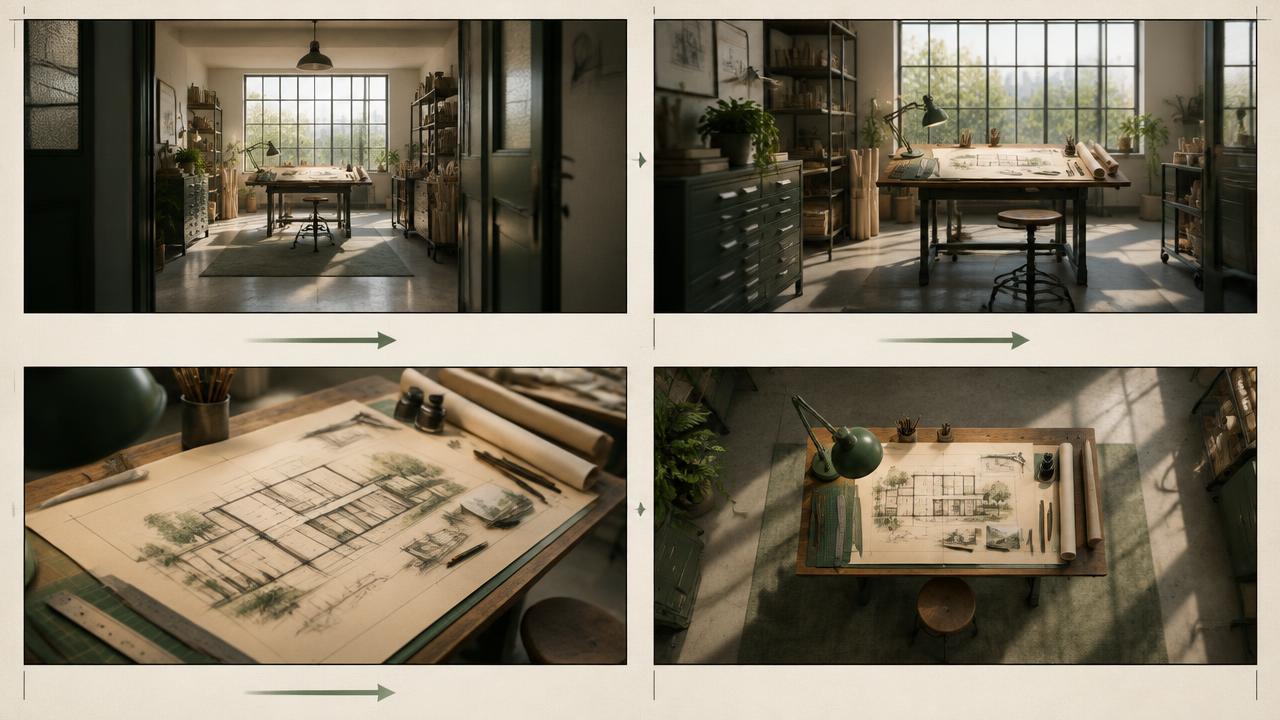
Ready-to-use prompt
The prompt
Copy it as-is, then swap the bracketed placeholders for your own details before running it.
Role: You are a cinematographer who plans camera movement for AI-generated video.

Context:
- Scene: {{scene_description}}
- Subject: {{subject}}
- Duration: {{duration_seconds}} seconds
- Mood: {{mood}}

Task: Produce a time-coded camera movement plan. For every beat, specify:
1. Timecode range and dramatic purpose.
2. One move type: dolly, truck, crane, orbit, pan, tilt, roll, handheld push or static hold.
3. Direction, speed impression, travel distance and easing into the settled frame.
4. Lens and framing intent: focal length, shot size, camera height and subject placement.
5. Focus behaviour: fixed focus, rack focus, deep focus or shallow focus target.
6. Subject motion and how it motivates or counterbalances the camera.
7. Start-frame and end-frame composition so separate clips can cut together.
8. A simplified one-beat alternative if the model cannot execute the full plan cleanly.

Rules:
- Never use two competing camera moves in one beat. A pan following a dolly can be one coordinated move; a simultaneous orbit, crane and zoom is not.
- Motivate every move with a subject action, reveal or change in information.
- Keep the camera axis and screen direction consistent unless a deliberate cut resets them.
- End each generated clip on a settled frame with the subject in a named position.
- Treat focal length, aperture and speed values as visual constraints rather than guaranteed physical metadata.
- Split complex plans into separately generated clips instead of forcing several shots into one unstable take.

Output: a markdown table of beats, one model-ready motion paragraph per generated clip, and a final continuity checklist.
Estimated results
Editor's note
Why this prompt matters
Unplanned camera motion is one of the fastest ways for generated video to feel synthetic. A model may drift, zoom or orbit because the prompt asks for energy without defining how the camera creates it. The result often has no stable opening, no motivated reveal and no clean frame for the editor. More camera adjectives do not solve that problem; a shot plan does.
This prompt converts a scene into timed beats with one camera intention at a time. It links movement to subject action, states both ends of the composition and includes a simplified fallback. That makes the plan useful even when a model cannot execute every beat in one generation: each row can become its own clip while preserving screen direction and editorial continuity.
Anatomy
Prompt engineering breakdown
Role
Specialist video direction role priming
Context
Turn a flat scene description into a timed shot list with deliberate camera moves, lens choices and speed.
Goal
Plan deliberate camera motion for an AI video scene.
Constraints
Explicit numeric and directional constraints replace subjective adjectives.
Output format
time-coded shot table plus motion notes
Why this structure works
The prompt separates move type, speed and easing into distinct fields, which stops the model collapsing them into a vague verb like pan. Time-coding forces a finite number of beats instead of continuous drift. Requiring a settle frame at the end gives the editor a clean cut point, and the one-move-per-beat rule removes the competing-motion artefacts that cause warping.
What you'll get
Expected output
0.0-2.0s | Establish | Slow dolly in, constant speed | 35mm wide, subject centred left third | deep focus 2.0-4.5s | Reveal | Orbit right 30 degrees, ease-out | 50mm medium | rack focus to subject eyes 4.5-6.0s | Settle | Static hold | 85mm close | shallow f1.8
Motion notes: keep all movement under 15 degrees per second, no handheld shake, physics-accurate parallax on the background.
Under the hood
Why this prompt works
Separating move, direction, travel, easing, lens intent and focus prevents vague instructions from collapsing into generic drift. A time range limits how many ideas compete inside the clip, while the motivated-move rule makes every camera change reveal information or follow action. Start and end compositions provide concrete continuity anchors.
The fallback is a production safeguard. Complex compound movement increases the chance of warped geometry, unstable anatomy and ignored instructions. Reducing a failed beat to one move and one action preserves the purpose of the shot, then lets the edit create sophistication by combining clean clips rather than depending on one fragile generation.
Model fit
Best AI models for this prompt
Veo
Veo's official prompting guidance recognises shot composition, camera angle, lens and named moves such as pan, tracking, dolly and zoom. Write the move explicitly and in chronological order: opening frame, camera action, subject action, settled frame. Keep one coordinated move per clip and avoid contradictory language such as locked-off handheld. Because the control is natural-language-led, use degrees-per-second or focal-length values as directional intent, then judge the rendered motion rather than assuming numeric precision.
Kling
Kling offers the most structured native camera workflow of the three: supported axes include pan, tilt, zoom, roll and spatial movement, with combined Master Shot options in applicable modes. Map the shot list to those controls and use displacement to constrain travel extent. For multi-shot generation, give every shot its own duration, size, perspective and camera move. Do not stack manual controls with a prose move that contradicts them; choose one coherent direction and explicitly name the end frame to reduce overshoot.
Runway
For image-to-video, let the source frame define composition and keep the prompt focused on what moves. Begin with a direct phrase such as “the camera slowly dollies toward the subject while the subject remains still,” then add scene motion only if necessary. Runway recommends simple, positive instructions and iterative layering. Where current Director Mode camera controls are available, use them for direction and repeatability; otherwise generate one beat per clip and assemble the shot list in the edit.
When to use
- When generated footage drifts, zooms or shakes without narrative purpose.
- For sequences that must cut together with consistent screen direction and framing.
- Before storyboarding product reveals, action coverage or environmental introductions.
- When different models or operators need one shared camera plan.
When not to use
- For a locked interview or talking head where movement distracts from performance.
- When the input image already contains severe perspective errors that movement will amplify.
- For a single atmospheric clip where controlled improvisation is the goal.
- When several beats cannot fit the available duration without rushing.
Get more from it
Pro tips
- 1
Write the opening and final composition before choosing the move between them.
- 2
Give every camera move one dramatic reason: follow, reveal, isolate or reframe.
- 3
Separate complex coverage into clips and preserve the same screen direction across cuts.
- 4
Check geometry, hands and facial structure at the middle of the move, where failures often hide.
Don't ship this
Common mistakes
✗ Stacking several camera moves into one short beat.
Fix — Choose one coordinated move and save the next move for a separate clip.
✗ Using mood words instead of motion instructions.
Fix — State direction, travel, easing, subject relationship and the settled end frame.
✗ Letting controls and prose contradict each other.
Fix — Use the platform's camera controls and the written prompt to reinforce the same movement.
People also ask
Frequently asked questions
Q.Which video models does this work with?
It is written for Veo, Kling and Runway. Any model that accepts long structured text will follow the beat table, though you may need to generate one beat per clip on shorter-context models.
Q.How long should each beat be?
Between one and three seconds. Longer beats give the model room to drift, shorter beats rarely complete the move.
Q.Can I reuse the plan across shots?
Yes. Keep the motion notes paragraph identical between generations so speed and easing stay consistent across the sequence.