Multi-Scene Shot List with a Consistent Character
Plan a whole sequence where every shot prompt carries the same identity, wardrobe and lighting anchors.
Generates a full shot list for AI video where each shot prompt embeds the same character lock, wardrobe lock and lighting anchor, plus shot-specific action, so identity holds across an entire sequence.
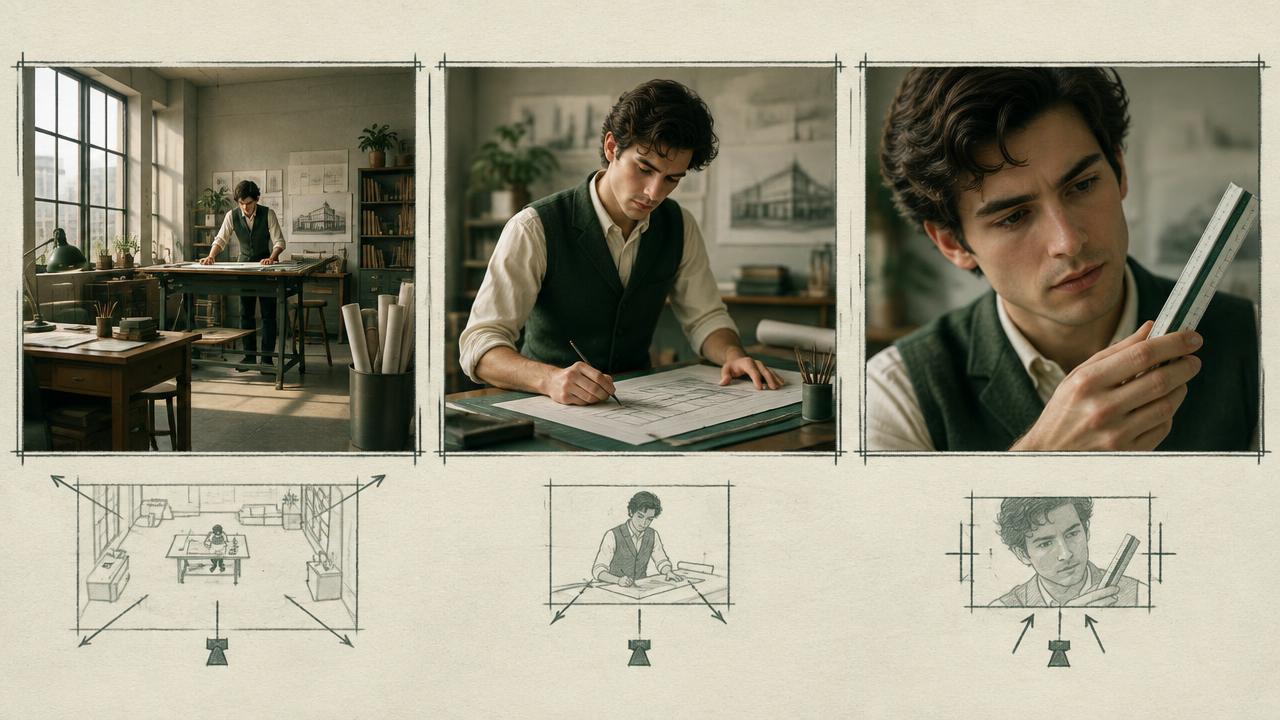
Ready-to-use prompt
The prompt
Copy it as-is, then swap the bracketed placeholders for your own details before running it.
Role: You are a first assistant director building an AI video shot list with strict character continuity.

Context:
- Character lock: {{character_block}}
- Wardrobe lock: {{wardrobe_lock}}
- Story: {{story_summary}}
- Shot count: {{shot_count}}
- Location: {{location}}

Task: Produce a shot list where every entry contains:
1. Shot number, duration and purpose
2. The character lock and wardrobe lock repeated verbatim
3. A lighting anchor line, identical unless the scene changes
4. Shot size, lens and camera position
5. The single action in that shot
6. Continuity carry-forward notes from the previous shot

Rules:
- Every shot prompt must be independently complete, assume no memory.
- Keep the locks identical, only the action changes.
- One action per shot.

Output: a numbered list of complete, copy-ready shot prompts.
Estimated results
Editor's note
Why this prompt matters
The single biggest cause of inconsistent AI sequences is treating shot prompts as continuations. They are not. Each generation starts from nothing, so any detail that is not repeated is a detail the model is free to reinvent. A working shot list therefore looks redundant on the page: the same character lock, the same wardrobe lock and the same lighting anchor appear in every entry, and only the action and camera change. This prompt builds that list for you, and adds carry-forward notes so accumulated changes such as damp clothing or dirt survive from one shot to the next.
Why this matters: This technique depends on complete per-shot locks, one action, and carry-forward story state. A visually attractive take can still fail continuity or editability when those cues disagree. Establish one controlled reference, vary one element at a time, and compare every result against the same anchors before adding more motion or styling.
Anatomy
Prompt engineering breakdown
Role
Continuity and direction role priming
Context
Plan a whole sequence where every shot prompt carries the same identity, wardrobe and lighting anchors.
Goal
Produce copy-ready shot prompts that preserve character identity.
Constraints
Locked, repeated wording and explicit continuity rules replace subjective description.
Output format
numbered list of complete shot prompts
Why this structure works
Making each shot prompt independently complete matches how the models actually work. Holding the locks constant while varying only the action isolates the variable, so when drift appears you know which line caused it. The lighting anchor prevents the exposure and colour shifts that make a character look like a different person even when the features match.
What you'll get
Expected output
SHOT 3 | 3s | She realises she is being followed [CHARACTER LOCK] woman early thirties, oval face, shoulder-length black waves, crescent scar above left eyebrow. [WARDROBE LOCK] faded olive canvas jacket open over white tee, dark indigo denim. [LIGHTING ANCHOR] overcast daylight from camera left, 5600K, soft, low contrast. Camera: medium close, 50mm, eye level, camera right of the line. Action: she slows, glances over her right shoulder, then keeps walking. Carry-forward: damp collar from shot 2 remains.
Under the hood
Why this prompt works
Making each shot prompt independently complete matches how the models actually work. Holding the locks constant while varying only the action isolates the variable, so when drift appears you know which line caused it. The lighting anchor prevents the exposure and colour shifts that make a character look like a different person even when the features match.
A practical review should separate subject accuracy, motion, camera, and environment rather than judging the clip as one impression. Referring to a previous generation leaves identity and continuity open to reinvention. Make every shot independently complete and change only the action and camera fields between adjacent prompts.
Review test: Read each row alone; it should still identify the person, wardrobe, light, location state, camera, and one action.
Production check: Use a continuity pass before a beauty pass. First approve identity, wardrobe state, geography, and action handoff across the complete sequence; only then regenerate individual shots for richer texture, atmosphere, or camera energy.
Name the final state of each shot and the starting state of the next with matching language. This simple handoff prevents props, poses, and positions from resetting at the cut.
Model fit
Best AI models for this prompt
Veo
Use natural-language cinematography to direct complete per-shot locks, one action, and carry-forward story state. Veo works best when physical cause, scene response, and camera intent form one coherent description; treat numeric settings as visual cues rather than guaranteed literal controls.
Kling
Use Subject Binding or the Element Library for recurring subjects, then direct complete per-shot locks, one action, and carry-forward story state. Place the bound identity before style and action. Kling can produce expressive motion, so reduce simultaneous changes when consistency weakens.
Runway
Use Gen-4 References to lock the approved subject or composition, then prompt primarily for complete per-shot locks, one action, and carry-forward story state. Generate difficult actions as separate short clips and assemble them in an editor when exact timing or continuity matters.
When to use
- For any sequence longer than two shots with a recurring character.
- When several people generate shots in parallel.
- For previs and pitch films.
When not to use
- For single hero shots.
- For montages of different people.
- When each shot is intentionally stylistically distinct.
Get more from it
Pro tips
- 1
Treat repetition as a feature, never abbreviate the locks.
- 2
Change one variable per shot.
- 3
Keep the lighting anchor fixed within a scene.
- 4
Log which shots needed regeneration so you can spot a weak lock line.
- 5
Review one controlled take for complete per-shot locks, one action, and carry-forward story state before increasing complexity.
Don't ship this
Common mistakes
✗ Writing shot prompts that reference the previous shot.
Fix — Make every prompt self-contained with the full locks.
✗ Varying lighting between shots in the same scene.
Fix — Use one lighting anchor line per scene, repeated verbatim.
✗ Two actions in one shot.
Fix — Split into two shots so each generation resolves one movement.
✗ Referring to a previous generation leaves identity and continuity open to reinvention.
Fix — Make every shot independently complete and change only the action and camera fields between adjacent prompts.
People also ask
Frequently asked questions
Q.Is repeating the locks really necessary?
Yes. Generations have no memory of previous shots, so anything not repeated is reinvented.
Q.How many shots can hold consistency?
With disciplined locks, sequences of eight to twelve shots hold well. Expect to regenerate a few takes.
Q.Can I use the previous frame as a reference?
On image-to-video models, yes, and it works well combined with the written locks.