Brand Mascot Consistency Prompt
Keep a mascot or spokes-character identical across an entire campaign of generated videos.
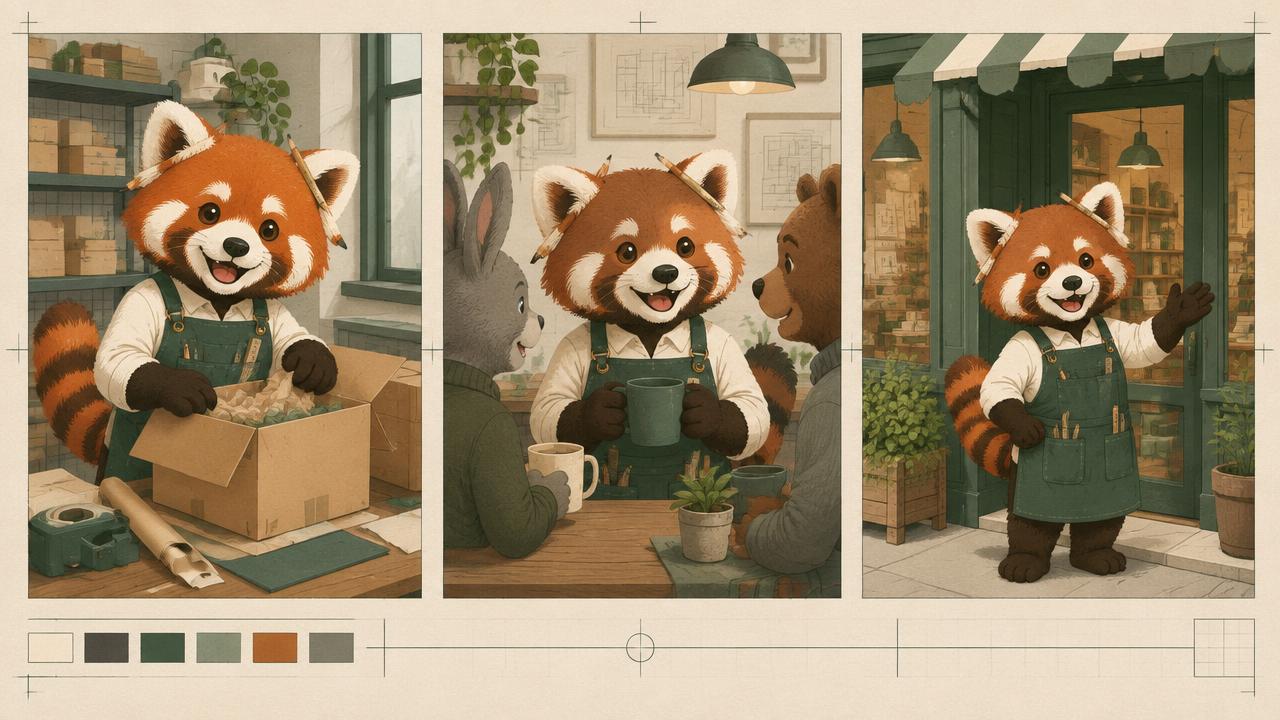
Defines a brand mascot for AI video with locked proportions, colours, materials and personality rules, plus per-asset variation limits, so the character stays on brand across every clip in a campaign.
Ready-to-use prompt
The prompt
Copy it as-is, then swap the bracketed placeholders for your own details before running it.
Role: You are a brand guardian defining a mascot for AI-generated campaign video.

Context:
- Mascot concept: {{mascot_concept}}
- Brand palette: {{palette}}
- Personality: {{personality}}
- Campaign assets: {{asset_list}}

Task: Produce a mascot bible containing:
1. Form lock (proportions, head to body ratio, silhouette description)
2. Colour lock with exact colour names for every part
3. Material and finish (matte vinyl, plush, glossy ceramic, 2D cel)
4. Face rules (eye style, mouth range, expressions allowed)
5. Motion personality (bouncy, deliberate, floaty) with a speed range
6. Allowed variations per asset and forbidden variations
7. A one-paragraph MASCOT LOCK for pasting into every prompt

Rules:
- Proportions and colours never change across assets.
- Expressions are limited to the listed set.
- The mascot never gains features that are not in the bible.

Output: the mascot bible plus the MASCOT LOCK paragraph.
Estimated results
Editor's note
Why this prompt matters
A mascot is a brand asset, which means consistency is not a nice-to-have but the entire point. Generative video will cheerfully change your character colour, add a nose or restyle the proportions between clips, and once a campaign is spread across dozens of assets and several people, that drift becomes very visible. The answer is a mascot bible in prompt form: a form lock, a colour lock, a material, a limited expression set, and an explicit list of what may and may not vary per asset. Everything downstream pastes the same lock paragraph.
Why this matters: This technique depends on silhouette, proportions, palette, finish, and motion personality. A visually attractive take can still fail continuity or editability when those cues disagree. Establish one controlled reference, vary one element at a time, and compare every result against the same anchors before adding more motion or styling.
Anatomy
Prompt engineering breakdown
Role
Continuity and direction role priming
Context
Keep a mascot or spokes-character identical across an entire campaign of generated videos.
Goal
Keep a brand mascot identical across a campaign.
Constraints
Locked, repeated wording and explicit continuity rules replace subjective description.
Output format
mascot bible plus lock paragraph
Why this structure works
Head to body ratio and silhouette fix the recognisable shape, which matters more than surface detail at small sizes. Exact colour naming per part prevents palette drift. Listing allowed expressions bounds the model creativity where it is welcome and blocks it where it is not, and the short lock paragraph is what makes the rules survive being pasted into every prompt.
What you'll get
Expected output
MASCOT LOCK: Pip, a rounded matte vinyl character, head to body ratio 1:1.2, sky blue body with a cream belly panel, two large circular black eyes with a single highlight top left, no nose, small curved mouth, stubby three-segment arms, no legs, floats with a gentle bob at roughly one cycle per second, matte finish with soft studio lighting.
Allowed per asset: accessory props, background, camera angle. Forbidden: colour changes, added facial features, proportion changes.
Under the hood
Why this prompt works
Head to body ratio and silhouette fix the recognisable shape, which matters more than surface detail at small sizes. Exact colour naming per part prevents palette drift. Listing allowed expressions bounds the model creativity where it is welcome and blocks it where it is not, and the short lock paragraph is what makes the rules survive being pasted into every prompt.
A practical review should separate subject accuracy, motion, camera, and environment rather than judging the clip as one impression. Campaign styling can quietly redesign the mascot between assets. Freeze one approved mascot lock and separate permanent traits from allowed prop, setting, and framing changes.
Review test: View every asset at thumbnail size and confirm the silhouette and largest colour blocks match before inspecting expression or surface detail.
Model fit
Best AI models for this prompt
Veo
Use natural-language cinematography to direct silhouette, proportions, palette, finish, and motion personality. Veo works best when physical cause, scene response, and camera intent form one coherent description; treat numeric settings as visual cues rather than guaranteed literal controls.
Kling
Use Subject Binding or the Element Library for recurring subjects, then direct silhouette, proportions, palette, finish, and motion personality. Place the bound identity before style and action. Kling can produce expressive motion, so reduce simultaneous changes when consistency weakens.
Runway
Use Gen-4 References to lock the approved subject or composition, then prompt primarily for silhouette, proportions, palette, finish, and motion personality. Generate difficult actions as separate short clips and assemble them in an editor when exact timing or continuity matters.
When to use
- For campaigns with many generated clips.
- For recurring social characters.
- When several agencies or freelancers produce assets.
When not to use
- For one-off illustrations.
- For photoreal human spokespeople.
- When the brand has no mascot strategy yet.
Get more from it
Pro tips
- 1
Keep the lock paragraph under 90 words so it fits every prompt.
- 2
Name colours per body part, not as a general palette.
- 3
Publish the forbidden list alongside the allowed list.
- 4
Review the first asset of each new format against the bible before scaling.
- 5
Review one controlled take for silhouette, proportions, palette, finish, and motion personality before increasing complexity.
Don't ship this
Common mistakes
✗ Describing the mascot differently in each brief.
Fix — Distribute one lock paragraph and require it verbatim.
✗ Leaving expressions open ended.
Fix — List the allowed expressions and forbid the rest.
✗ Allowing proportion changes for a format.
Fix — Change framing and props instead, never the form lock.
✗ Campaign styling can quietly redesign the mascot between assets.
Fix — Freeze one approved mascot lock and separate permanent traits from allowed prop, setting, and framing changes.
People also ask
Frequently asked questions
Q.How do I stop the mascot colour drifting?
Name a colour for every body part in the lock paragraph and repeat it verbatim in each prompt.
Q.Can the mascot have new expressions?
Only if you add them to the allowed list in the bible, otherwise the range should stay fixed.
Q.Does this work across formats?
Yes. Change framing, background and props per format, but never the form or colour lock.